

RotoHound
Sign UpESPN Fantasy Baseball Pickup Analyzer
Import your ESPN league and score any add and drop in projected standings points under the league’s exact scoring. Rosters, settings, and standings come straight from ESPN.
Works with Yahoo, ESPN, CBS, Fantrax, Ottoneu, NFBC, OnRoto, RTSports, and Fleaflicker.
On another platform? Rosters, settings, and standings pull in automatically:
How the ESPN import works
ESPN keeps league pages behind your login, so an ESPN league imports through a one-time connection from your own browser: the RotoHound Connector, a bookmarklet you click on your ESPN league page, or the RotoHound Chrome extension. Either one passes along the league access your ESPN session already has, and RotoHound imports every roster, the scoring settings, the roster slots, and the current standings. RotoHound reads from ESPN and never writes to it. On an iPhone or iPad, you can also import from the platform’s website in Safari using the RotoHound Importer extension.
Add and drop, scored together
Pick a free agent and the player you would drop. RotoHound rebuilds your lineup with the move applied and shows the change in your projected standings points. A pickup that looks good on raw stats can still cost you points once the drop and your lineup are accounted for; this catches that before the move is made.
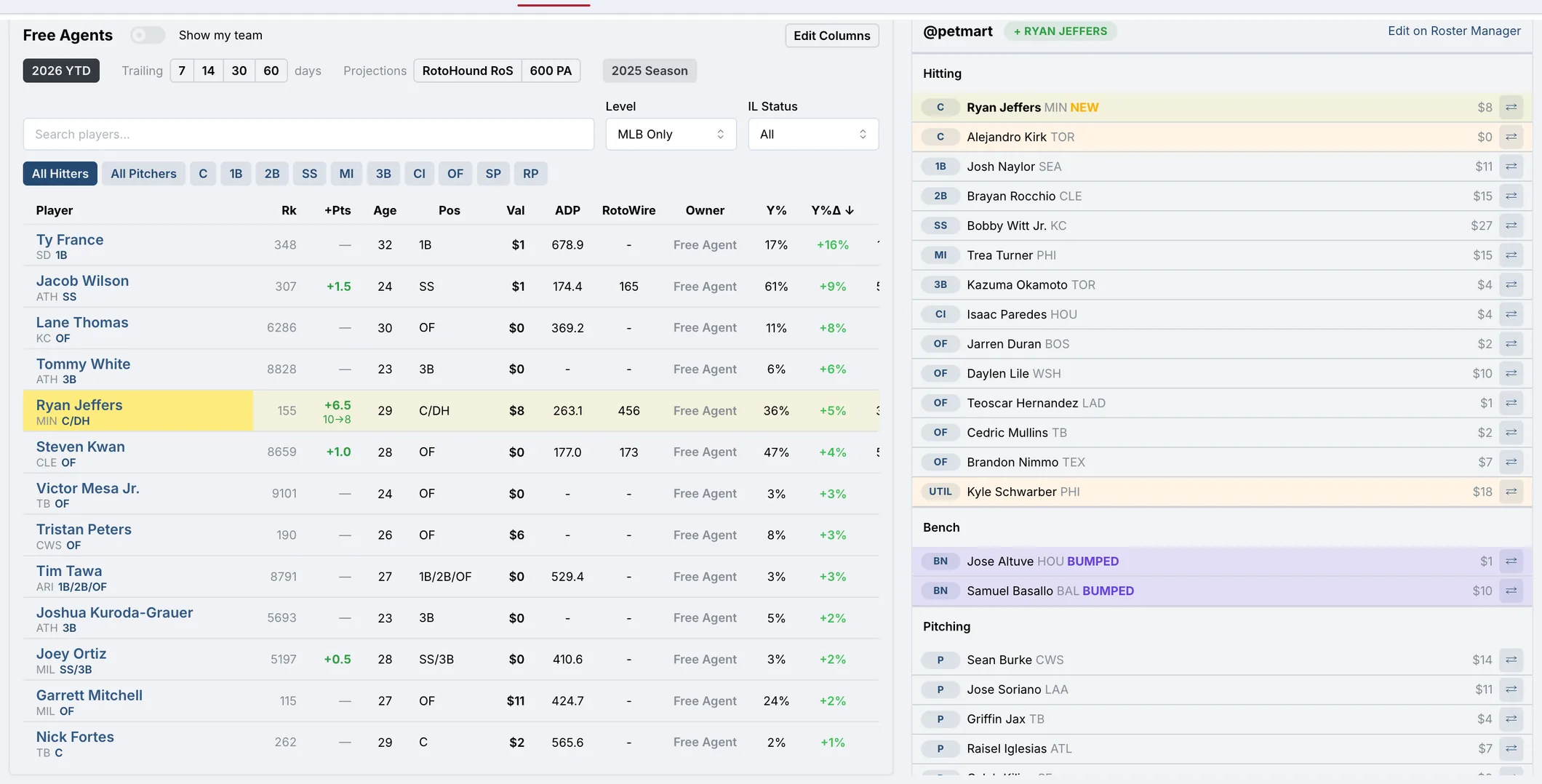
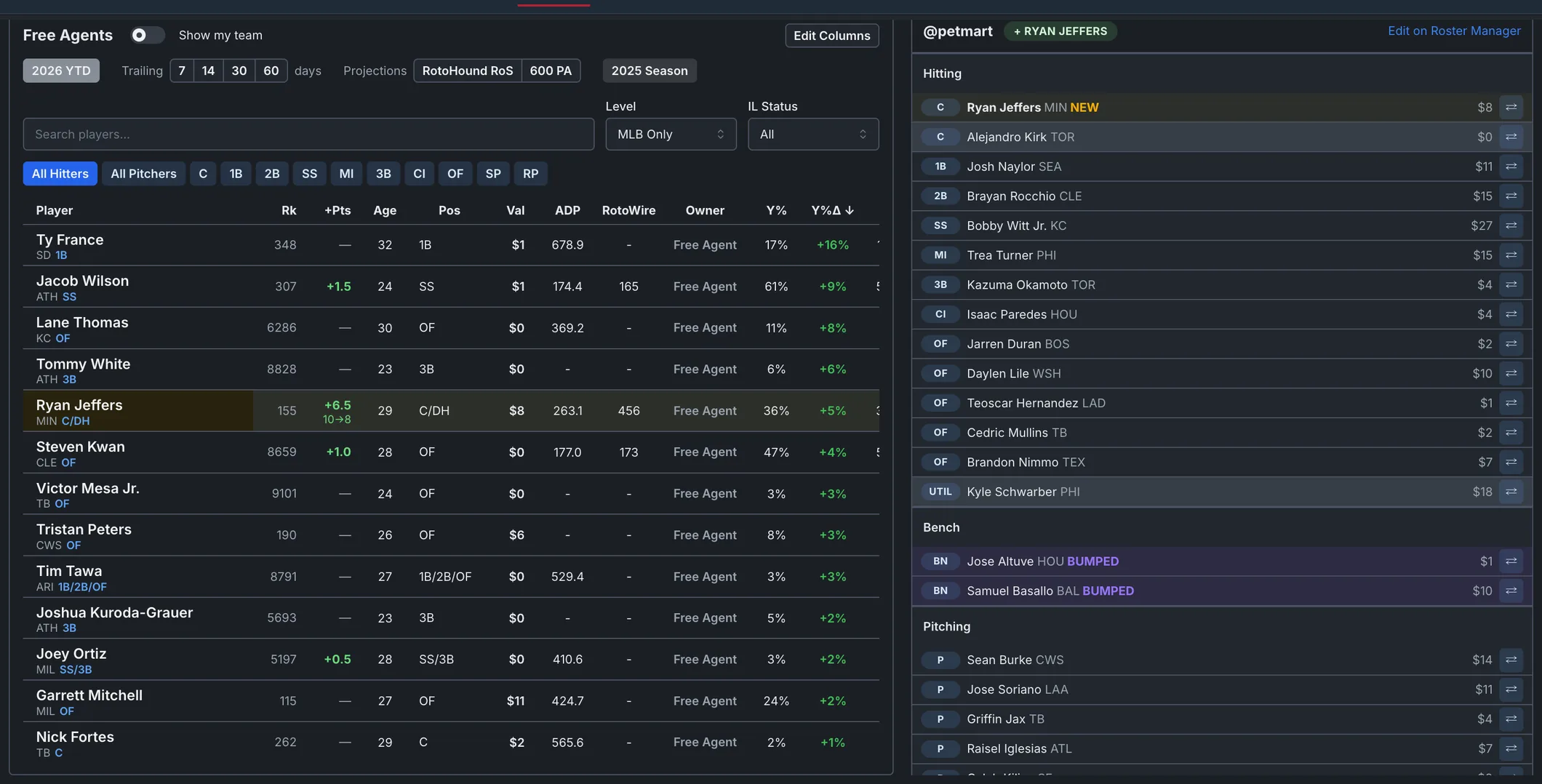
Standings impact before you commit
The before and after standings sit side by side, per category. You can see which categories the move improves, how close you are to gaining a point in each, and whether the pickup actually moves your place in the league.
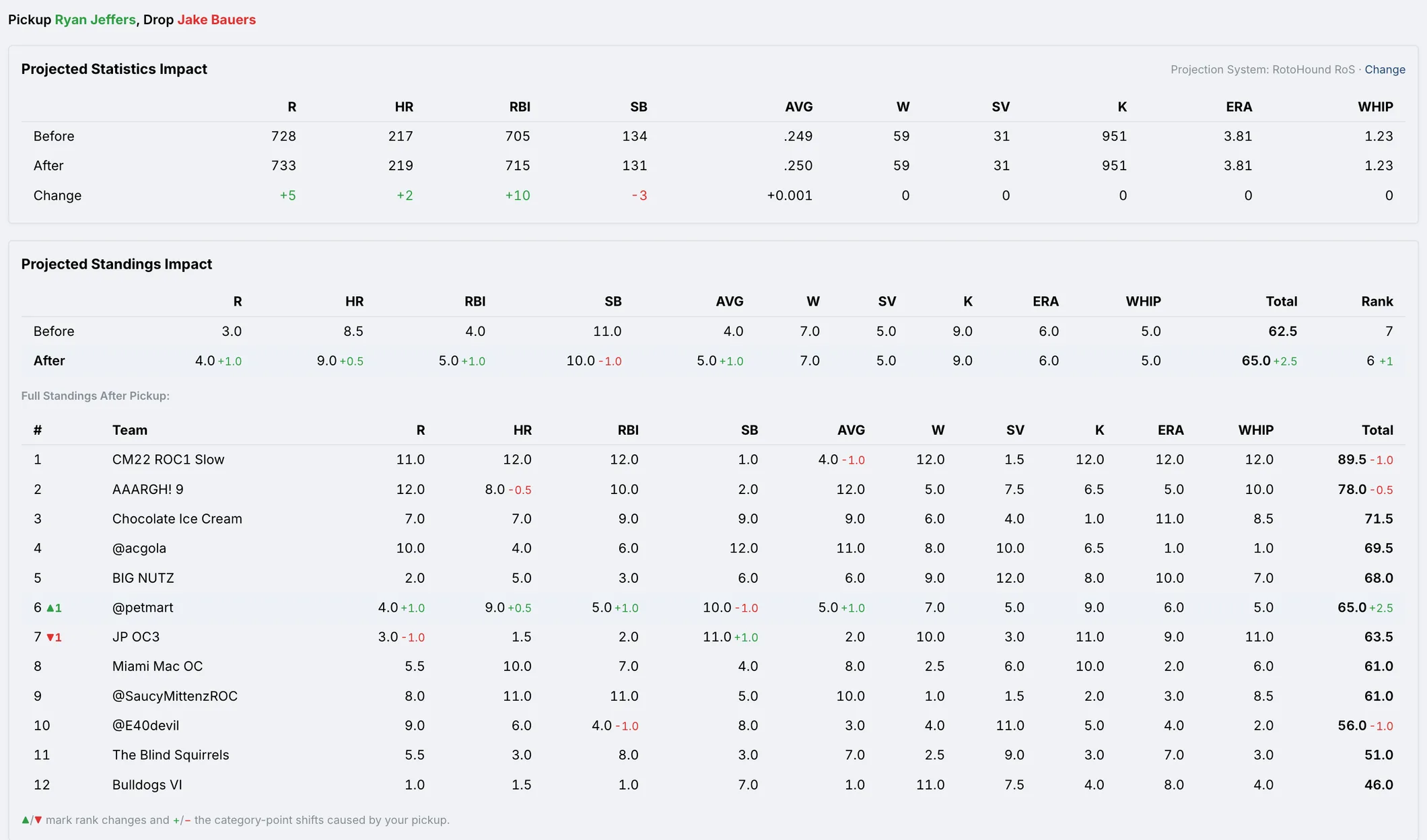
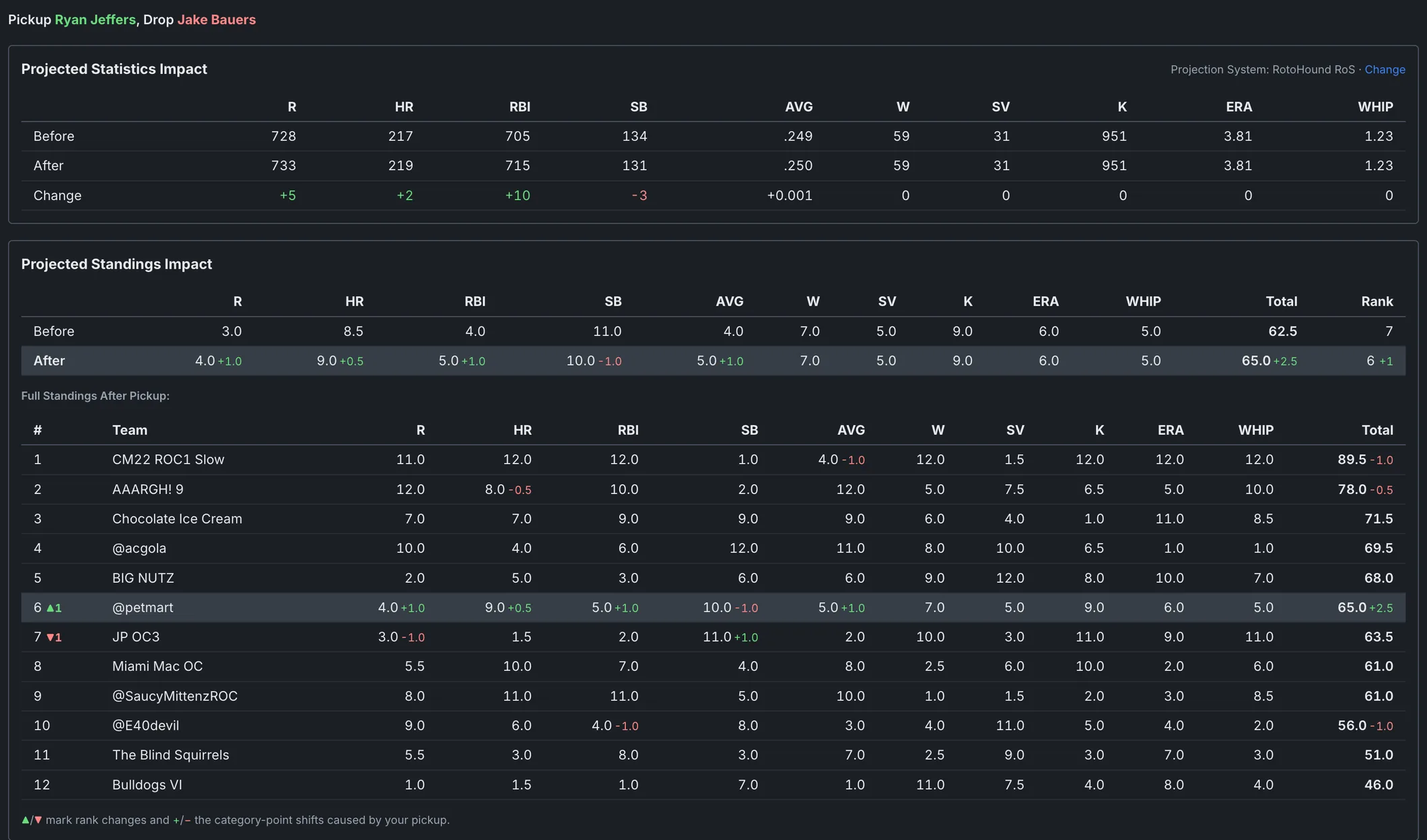
What RotoHound reads from a ESPN league
ESPN’s scoring settings import as they are: rotisserie or head-to-head, standard or custom categories, or ESPN points. Daily or weekly lineup locks set how RotoHound projects your lineups, and the ESPN standard roster (C, 1B, 2B, SS, 3B, CI, MI, five OF, Util, nine P, three bench, two IL) is the starting preset, adjusted to your league’s actual slots. The transaction log syncs too, so adds, claims, and trades can be graded by what the players did afterward.
How it works
1. Import your ESPN league
Click the RotoHound Connector on your ESPN league page, or import with the Chrome extension. Rosters, settings, and standings pull in automatically.
2. Stage the pickup
Pick the free agent to add and the roster player to drop.
3. Read the impact
Projected standings points gained or lost, with per-category before and after.
Frequently asked questions
Does RotoHound work with private ESPN leagues?
Yes. Import from your signed-in ESPN session using the RotoHound Connector or Chrome extension on a computer, or RotoHound Importer in Safari on an iPhone or iPad.
Does it read ESPN points leagues?
Yes. ESPN points scoring is a built-in preset, and custom point values import with the league.
Does it account for the player I drop?
Yes. The add and the drop are scored as one move: RotoHound rebuilds your lineup with both applied and reports the net change in projected standings points.
How does it know which categories I need?
It recalculates your league’s projected standings with the move applied, so the score reflects your actual position in each category race rather than generic player rankings.
Which fantasy baseball platforms does RotoHound support?
Yahoo, ESPN, CBS, Fantrax, Ottoneu, NFBC, OnRoto, RTSports, and Fleaflicker. League import pulls rosters, settings, and standings automatically; there is no manual roster entry.
Where do the projections come from?
RotoHound publishes its own rest-of-season projections, updated daily. You can also upload projections from FanGraphs or any other source, and every tool uses whichever system you set as your default. The methodology page explains how the built-in projections are made and how they benchmark against Steamer and ZiPS. Read the methodology
Import your league
The Pickup Analyzer page opens with your league loaded as soon as the import finishes.
Pickup Analyzer for other platforms
More RotoHound tools
© 2026 RotoHound. All rights reserved. · Trade Analyzer · Draft Assistant · Pickup Analyzer · Projected Standings · Player Values · Lineup Planner · Features · How It Works · Methodology · FAQ · Glossary · 2027 Rankings · Players A-Z · Testimonials · Terms · Privacy · support@rotohound.com
Yahoo, ESPN, CBS, Fantrax, Ottoneu, OnRoto, NFBC, RTSports, and Fleaflicker are trademarks of their respective owners. RotoHound is not affiliated with or endorsed by these platforms.